4  Utilities

aka majordome.utilities

This module provides a set of utilities that are whether too general purpose for integrating another module or still waiting to find their definitive home. These include constants, type aliases, and functionalities of different kinds. Regarding this last kind of components, this tutorial aims at illustrating their use for practical documentation.

4.1 Plotting

4.1.1 MajordomePlot

One might ask why a wrapper around Matplotlib’s Figure and Axes is necessary, and I would strongly agree that it isn’t. However, keeping all the plots in a report consistent is a huge effort, and being able to standardize the plots without having to write new themes is a nice feature. That’s the main goal of MajordomePlot: simplifying the plotting of publication-quality figures across Majordome (and beyond!). Below we illustrate how to use this functionality to ensure all the plots in a project look the same.

NoteMajordomePlot
MajordomePlot(
    shape : tuple[int, int] = (1, 1),
    style : str = 'classic',
    *,
    size : tuple[float, float] | None = None,
    xlabel : str | list[str] | None = None,
    ylabel : str | list[str] | None = None,
    opts : dict[str, typing.Any] = {'facecolor': 'white'}
    ) -> None:

Handles the creation and management of plots.

Provides a handle for creating and managing plots using Matplotlib. It is aimed at standardizing the plot creation process across the Majordome framework.


Parameters
shape : tuple[int, int] = (1, 1)
    
Shape of the plot as (n_rows, n_cols).
style : str = 'classic'
    
Matplotlib style to use for the plot.
size : tuple[float, float] | None = None
    
Size of the plot in inches as (width, height). If None, the default size will be used.
xlabel : str | list[str] | None = None
    
Label(s) for the x-axis. If a list is provided, each subplot will get its own label.
ylabel : str | list[str] | None = None
    
Label(s) for the y-axis. If a list is provided, each subplot will get its own label.
opts : dict[str, typing.Any] = {'facecolor': 'white'}
    
Additional options to pass to plt.subplots().

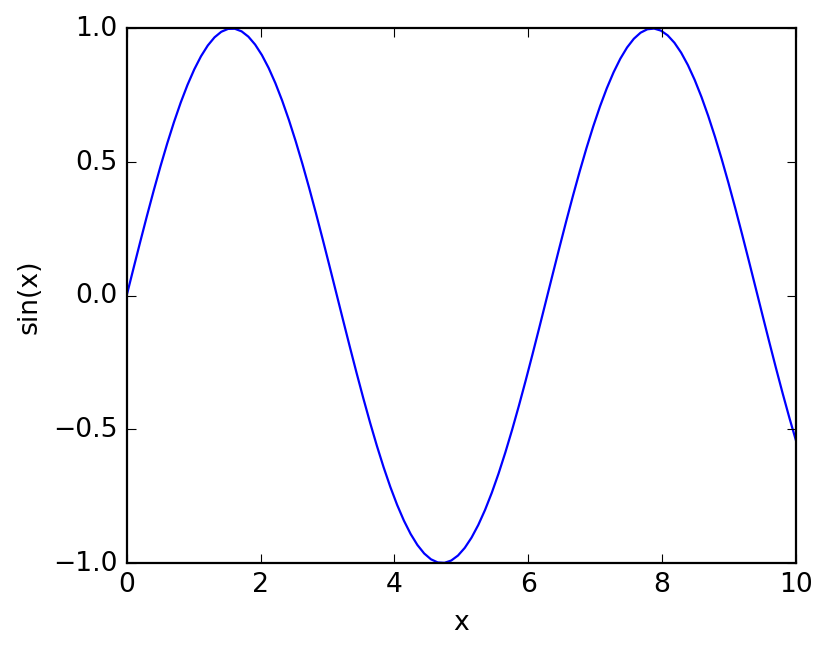
Let’s see how one would expect to use it from the above constructor signature. This is in fact almost the same as calling plt.subplots(), and that is what the constructor does under the hood. This is a negative example actually, the author has never used the constructor directly, but instead uses the new classmethod, which is a much more convenient way to create a plot. More on that later.

x = np.linspace(0, 10, 100)
mp = MajordomePlot(shape=(1, 1), size=(5, 4))
mp.axes[0].plot(x, np.sin(x))
mp.axes[0].set_xlabel("x")
mp.axes[0].set_ylabel("sin(x)")
pass

The story behind this class dates a few years back, when I was learning about Python decorators. As an exercise, I coded what later became the new classmethod, which is a decorator that creates a new MajordomePlot and passes it to the decorated function. This is a very convenient way to create plots, as it allows you to focus on the plotting code and not worry about the boilerplate of creating the plot and setting the labels.

Notenew
new(
    cls : Any,
    _func : typing.Optional[typing.Callable[~Params, typing.Any]] = None,
    *,
    shape : tuple[int, int] = (1, 1),
    style : str = 'classic',
    sharex : bool = True,
    facecolor : str = 'white',
    grid : bool = True,
    size : tuple[float, float] | None = None,
    xlabel : str | list[str] | None = None,
    ylabel : str | list[str] | None = None
    ) -> typing.Callable[[typing.Callable[~Params, typing.Any]], typing.Any]:

Wraps a function for ensuring a standardized plot.


Parameters
_func : typing.Optional[typing.Callable[~Params, typing.Any]] = None
    
Function to wrap, if any.
shape : tuple[int, int] = (1, 1)
    
Shape of the plot as (n_rows, n_cols).
style : str = 'classic'
    
Matplotlib style to use for the plot. By default “classic”.
sharex : bool = True
    
Whether to share x-axis among subplots.
facecolor : str = 'white'
    
Face color of the figure.
grid : bool = True
    
Whether to display grid lines.
size : tuple[float, float] | None = None
    
Size of the plot in inches as (width, height). If None, the default size will be used. By default None.
xlabel : str | list[str] | None = None
    
Label(s) for the x-axis. If a list is provided, each subplot will get its own label. By default None.
ylabel : str | list[str] | None = None
    
Label(s) for the y-axis. If a list is provided, each subplot will get its own label. By default None.

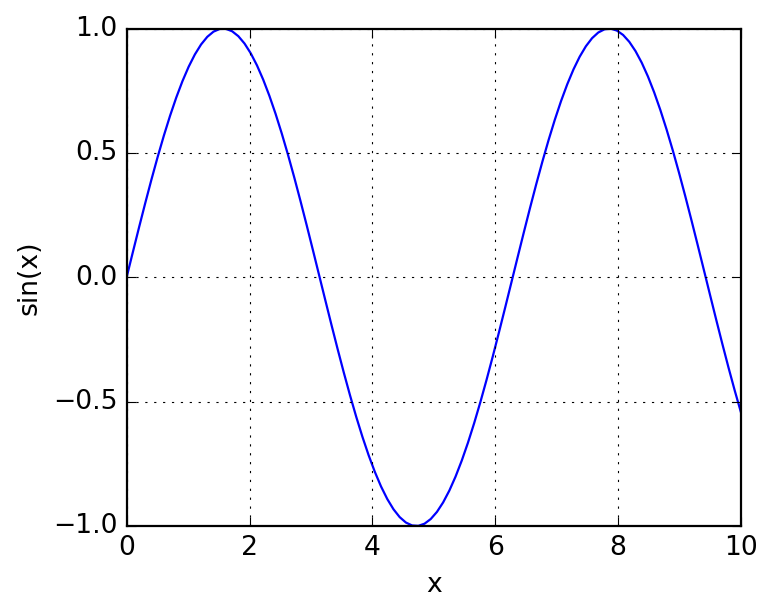
In the following example, we make use of this decorator to parametrize the labels of the plot. Internally, we must expect a keyword-only argument plot, which is the MajordomePlot instance created by the decorator, from which we can access the Figure and Axes objects as usual. The rest of the code is just standard Matplotlib code, with the exeption that the axes is raveled, so we can access it with ax[0] instead of ax[0, 0]. Returning plot is optional (it is done by the decorator already), but it avoids linting errors if you want to annotate the return type as MajordomePlot.

Here we create a function that will be used below in the examples. In summary, to get it working, you need to:

  • Use decorator @MajordomePlot.new with all its configurable attributes; for details, please refer to its API documentation.

  • Have a function with signature func(*args, plot=None, **kwargs) -> None, where it is recommended (for linter) to provide explictly keyword plot=None.

  • Unpack fig, ax = plot.subplots() or just _, ax = plot.subplots(), as needed, inside the figure; these contain standard matplotlib figure and axes.

@MajordomePlot.new(size=(5, 4), xlabel="x", ylabel="sin(x)")
def plot_sin(x, *, plot, **kwargs) -> MajordomePlot:
    _, ax = plot.subplots()
    ax[0].plot(x, np.sin(x))
    return plot

plot = plot_sin(np.linspace(0, 10, 100))

The following elements document the members and properties of the class.

Noteresize
resize(
    self : Any,
    w : float,
    h : float
    ) -> None:

Resize a plot with width and height in inches.


Parameters
w : float
    
Width of the plot in inches.
h : float
    
Height of the plot in inches.
Notesavefig
savefig(
    self : Any,
    filename : str | pathlib.Path,
    **kwargs : Any
    ) -> None:

Wrapper for saving a figure to file.


Parameters
filename : str | pathlib.Path
    
Path to save the figure to.
kwargs : None = None
    
Additional keyword arguments to pass to Figure.savefig().
Notesubplots
subplots(self : Any): -> tuple[matplotlib.figure.Figure, list[matplotlib.axes._axes.Axes]]:

Provides access to underlying figure and axes.

Noteshow
show(self : Any): -> None:

Display the plot.

Notefigure
figure(self : Any): -> Figure:

Provides access to underlying figure.

Noteaxes
axes(self : Any): -> list[matplotlib.axes._axes.Axes]:

Provides access to underlying axes.

4.1.2 PowerFormatter

NotePowerFormatter
PowerFormatter(**kwargs : Any): -> None:

Formatter for power of ten in numerical axes.


Parameters
values : str = None
    
String of characters to be replaced by their superscript counterparts. By default “0123456789-”.
supers : str = None
    
String of superscript characters corresponding to values. By default “⁰¹²³⁴⁵⁶⁷⁸⁹⁻”.

4.1.3 General utilities

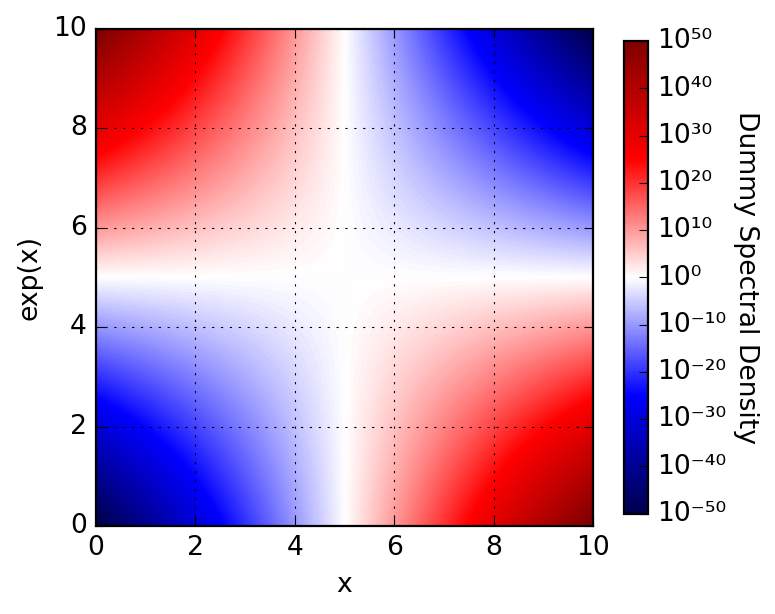
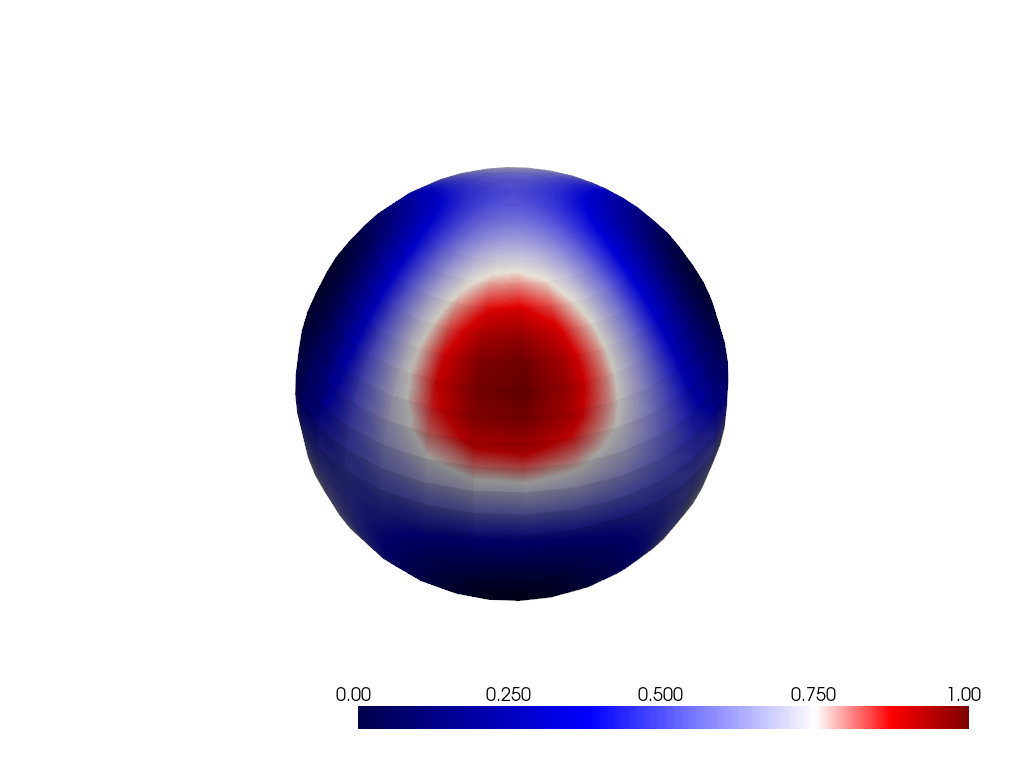
Notecentered_colormap
centered_colormap(
    name : str,
    vmin : float,
    vmax : float,
    vcenter : float = 0.0
    ) -> LookupTable:

Ensure the center of a colormap is at zero.


Parameters
name : str
    
Name of the colormap to use.
vmin : float
    
Minimum value of the data range.
vmax : float
    
Maximum value of the data range.
vcenter : float = 0.0
    
Center value of the colormap, by default 0.

4.2 LaTeX

Upcoming…

4.3 Argument parsing

4.3.1 FuncArguments

def f(*args, **kwargs):
    """ Arbitrary interface function for illustration. """
    f.parser.update(*args, **kwargs)

    try:
        print(f"a = {f.parser.get('a')}, b = {f.parser.get('b')}")
        f.parser.close()
    except Exception as err:
        print(err)
        pass
  • Arguments are both positional-mandatory
f.parser = FuncArguments()
f.parser.add("a", index=0)
f.parser.add("b", index=1)

f(3)
f(3, 4)
Cannot retrieve mandatory positional argument at position 1
a = 3, b = 4
  • Arguments are both keyword-only
f.parser = FuncArguments()
f.parser.add("a", default="foo")
f.parser.add("b", default="bar")

f(3)
f(3, 4)
f(3, b=4)
f(a=3, b=4)
a = foo, b = bar
Too many positional arguments, got 1 but only 0 were used.
a = foo, b = bar
Too many positional arguments, got 2 but only 0 were used.
a = foo, b = 4
Too many positional arguments, got 1 but only 0 were used.
a = 3, b = 4
  • One positional and another (maybe) positional
f.parser = FuncArguments()
f.parser.add("a", index=0)
f.parser.add("b", index=1, default=6)

f(3)
f(3, 4)
f(3, 4, b=4)
a = 3, b = 6
a = 3, b = 4
Cannot have both positional and keyword version of b (1) simultaneously
  • Badly configured
f.parser = FuncArguments()

try:
    f.parser.add("a")
    f.parser.add("b")
except Exception as err:
    print(err)
Argument must be either positional or keyword, cannot be neither: a

4.3.2 Creating class constructors

You should probably not do this, but it is quite fun!

def _init_some_class(cls):
    """ Decorator to enhance SomeClass with argument parsing. """
    orig_init = cls.__init__

    # Maybe stash for later use?
    # cls.__orig_init__ = orig_init

    parser = FuncArguments(greedy_args=False, pop_kw=True)
    parser.add("a", 0)
    parser.add("x", default=None)

    @wraps(orig_init)
    def new_init(self, *args, **kwargs):
        parser.update(*args, **kwargs)
        a = parser.get("a")
        x = parser.get("x")

        orig_init(self, *parser.args, **parser.kwargs)
        parser.close()

        # -- logic goes here
        print(f"some a = {a}")
        print(f"some x = {x}")

        return None

    cls.__init__ = update_wrapper(new_init, orig_init)
    return cls
class BaseClass:
    def __init__(self, *args, **kwargs) -> None:
        print(f"args   = {args}")
        print(f"kwargs = {kwargs}")
@_init_some_class
class SomeClass(BaseClass):
    def __init__(self, *args, **kwargs) -> None:
        super().__init__(*args, **kwargs)
some = SomeClass(1, 2, 3, x=1, y=2)
args   = (1, 2, 3)
kwargs = {'y': 2}
some a = 1
some x = 1

4.4 PDF Tools

4.4.1 PdfToTextConverter

Below we illustrate the usage of PdfToTextConverter. Please notice that data curation of extracted texts is still required if readability is a requirement. If quality of automated extractions is often poor for a specific language, you might want to search the web how to train tesseract, that topic is not covered here.

Note: this note assumes tesseract and poppler, and ImageMagick are available in system path. Under Windows you might struggle to get them all working together, please check Majordome’s Kompanion for automatic installation.

Install dependencies on Ubuntu 22.04:

sudo apt install tesseract-ocr imagemagick poppler-utils

In case of Rocky Linux 9:

sudo dnf install tesseract tesseract-langpack-eng ImageMagick poppler-utils

Assuming the dependencies are found in the path, it is simply a matter of creating a converter:

converter = PdfToTextConverter()

For generated PDF (not scanned documents), it is much faster to avoir using OCR; below we show the metadata from a paper:

data = converter("data/pdftools/paper.pdf", use_ocr=False)
data.meta
{'/Author': "W. Dal'Maz Silva",
 '/CreationDate': "D:20170403224009+05'30'",
 '/Creator': 'Elsevier',
 '/CrossMarkDomains[1]': 'elsevier.com',
 '/CrossMarkDomains[2]': 'sciencedirect.com',
 '/CrossmarkDomainExclusive': 'true',
 '/CrossmarkMajorVersionDate': '2010-04-23',
 '/ElsevierWebPDFSpecifications': '6.5',
 '/Keywords': 'Hardness measurement; Martensite; Low-alloy steel; Precipitation',
 '/ModDate': "D:20170403224009+05'30'",
 '/Subject': 'Materials Science & Engineering A, 693 (2017) 225-232. doi:10.1016/j.msea.2017.03.077',
 '/Title': 'Carbonitriding of low alloy steels_ Mechanical and metallurgical responses',
 '/doi': '10.1016/j.msea.2017.03.077',
 '/robots': 'noindex'}

For scanned documents, by default if OCR is not enabled it will be used as a fallback method for text extraction:

data = converter("data/pdftools/scanned.pdf", last_page=1)
data.content[:500]
'549\n\n5.. Uber die von der molekularkinetischen Theorie\nder Wirme geforderte Bewegung von in ruhenden\nFlussigkeiten suspendierten Teilchen;\nvon A. Einstein.\n\nIn dieser Arbeit soll gezeigt werden, daB nach der molekular-\nkinetischen Theorie der Warme in Flissigkeiten suspendierte\nKorper von mikroskopisch sichtbarer GroBe infolge der Mole-\nkularbewegung der Wirme Bewegungen von solcher GrifSe\nausfiihren miissen, daB diese Bewegungen leicht mit dem\nMikroskop nachgewiesen werden konnen. Es ist moglic'

4.5 Markdown

4.5.1 Normalize LaTeX delimiters

Noteapply
apply(
    cls : Any,
    text : str
    ) -> str:

Apply normalization to the given text.


Parameters
text : str
    
The input Markdown text to normalize.
Noteapply_token_list
apply_token_list(
    cls : Any,
    tokens : list[markdown_it.token.Token],
    inplace : bool = True
    ) -> tuple[list[markdown_it.token.Token], int]:

Apply LaTeX delimiter normalization to all applicable tokens.


Parameters
tokens : list[markdown_it.token.Token]
    
The token stream to process.
inplace : bool = True
    
Whether to modify the tokens in place or return a new list (default is True).

The following illustrates the use of the functionality:

sample = r"""
Inline good: \( x^2 + y^2 \)

Inline missing slash: \(a+b)

Inline missing slash close: (c+d\)

Inline parenthetized: (\(c+d\))

Inline breaking case: \( V_{IJ}^{(n)} \)

Block inline: \[ \int_0^1 f(x)\,dx ]

Fragilized block:

\[ \int_0^1 f(x)\,dx ]

I noticed that sometimes links may be fragile, like in:

![diagram showing something](assets/img/favicon-32x32.png)

What about this doubly escaped inline math: \\( \\Delta J \\) ?

\\[
W_{\\text{point}}^{(n)} = \\left( W_{AA}^{(n)} + W_{BB}^{(n)} -
      2W_{AB}^{(n)} \\right)
\\]
"""

normalizer = LatexDelimiterNormalizer()
output = normalizer.apply(sample)
display(Markdown(output))

Inline good: \(x^2 + y^2\)

Inline missing slash: \(a+b\)

Inline missing slash close: \(c+d\)

Inline parenthetized: (\(c+d\))

Inline breaking case: \(V_{IJ}^{(n)}\)

Block inline: \[ \int_0^1 f(x)\,dx \]

Fragilized block:

\[ \int_0^1 f(x)\,dx \]

I noticed that sometimes links may be fragile, like in:

diagram showing something

What about this doubly escaped inline math: \(\Delta J\) ?

\[ W_{\text{point}}^{(n)} = \left( W_{AA}^{(n)} + W_{BB}^{(n)} - 2W_{AB}^{(n)} \right) \]

4.6 Misc

4.6.1 ColorPrint

ColorPrint.red("This is a red message.")
ColorPrint.green("This is a green message.")
ColorPrint.blue("This is a blue message.")
ColorPrint.yellow("This is a yellow message.")
ColorPrint.cyan("This is a cyan message.")
This is a red message.

This is a green message.

This is a blue message.

This is a yellow message.

This is a cyan message.